A T-Box is only useful if it can read what the vehicle knows. Almost everything the telematics platform reports — state of charge, cell voltages, speed, fault codes, crash flags — is gathered from the in-vehicle buses through the CAN protocol, and almost every remote action, from unlocking to flashing firmware, travels back down the same path using UDS diagnostics. This article explains how CAN frames move around the vehicle, how the T-Box listens without disturbing the bus, and how the ISO 14229 UDS sequence used for remote flashing actually works.
Controller Area Network is a differential, multi-master serial bus: every node sees every frame, and arbitration by message identifier lets higher-priority frames win the wire without collisions. A classic CAN frame carries an 11-bit (or extended 29-bit) identifier, a control field, up to 8 data bytes, a CRC and acknowledge bits. CAN-FD raises the payload to 64 bytes and switches to a faster bit-rate for the data phase, which modern EV architectures need for high-resolution battery and ADAS signals. The T-Box's CAN transceivers convert the differential PHY signals to UART-like frames for its MCU, often across two or three isolated bus channels.
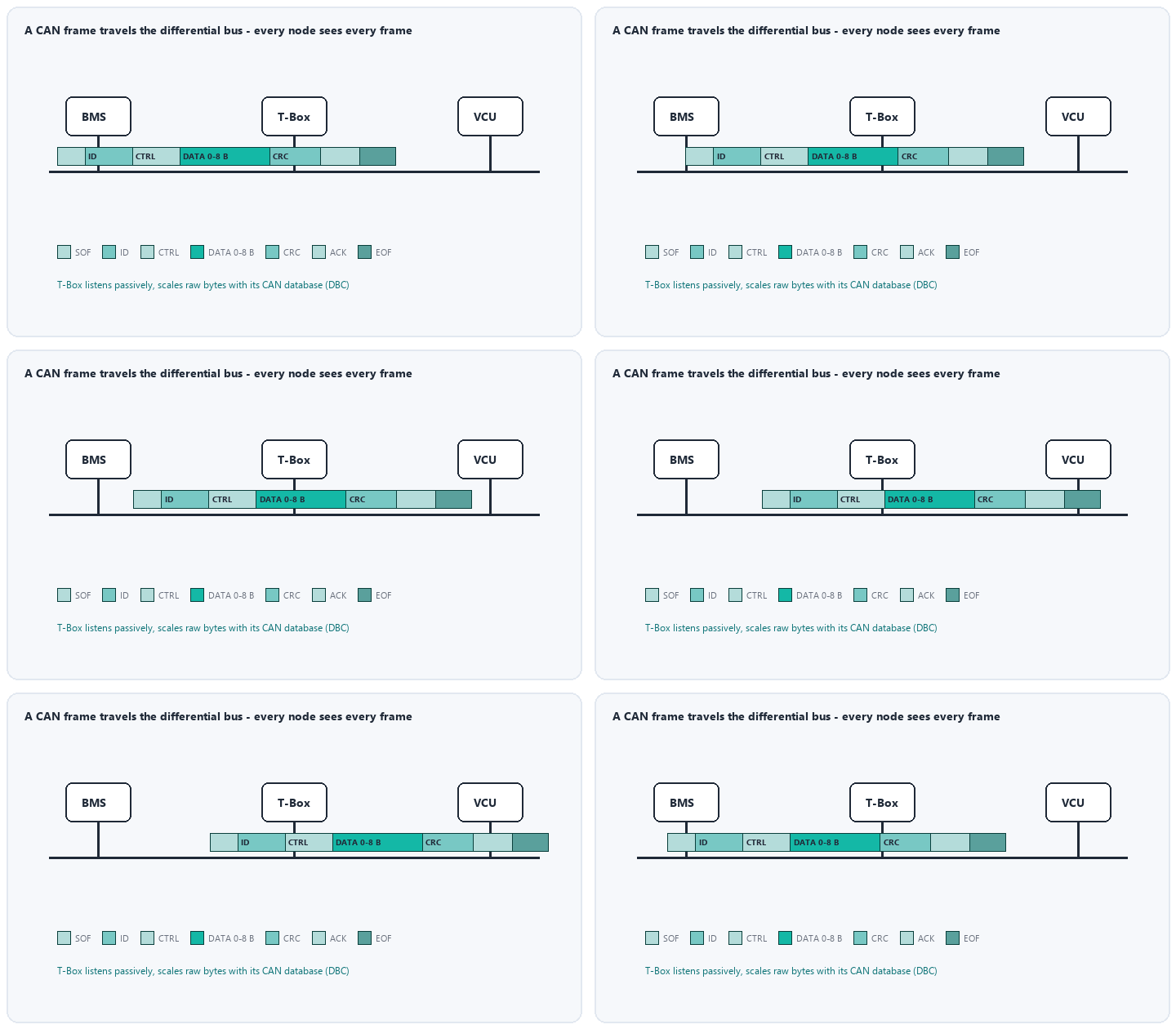
Most telemetry is gathered passively: the T-Box subscribes to periodic broadcast frames — for example the BMS publishing pack voltage every 100 ms — scales the raw bytes using the vehicle's CAN database (DBC), and timestamps them against GNSS time. Passive listening is safe because it adds no traffic. When the platform needs data nobody broadcasts, the T-Box becomes an active diagnostic tester, sending requests addressed to a specific ECU and reading its replies. Remote commands — preconditioning the cabin, locking doors — are issued the same way, gated by authentication and secure on-board communication so a compromised T-Box cannot inject unauthorised frames.
Unified Diagnostic Services is the standardized client-server language spoken between a tester (here, the T-Box) and ECUs. Each service has a service identifier (SID). The services a telematics engineer meets most often are:
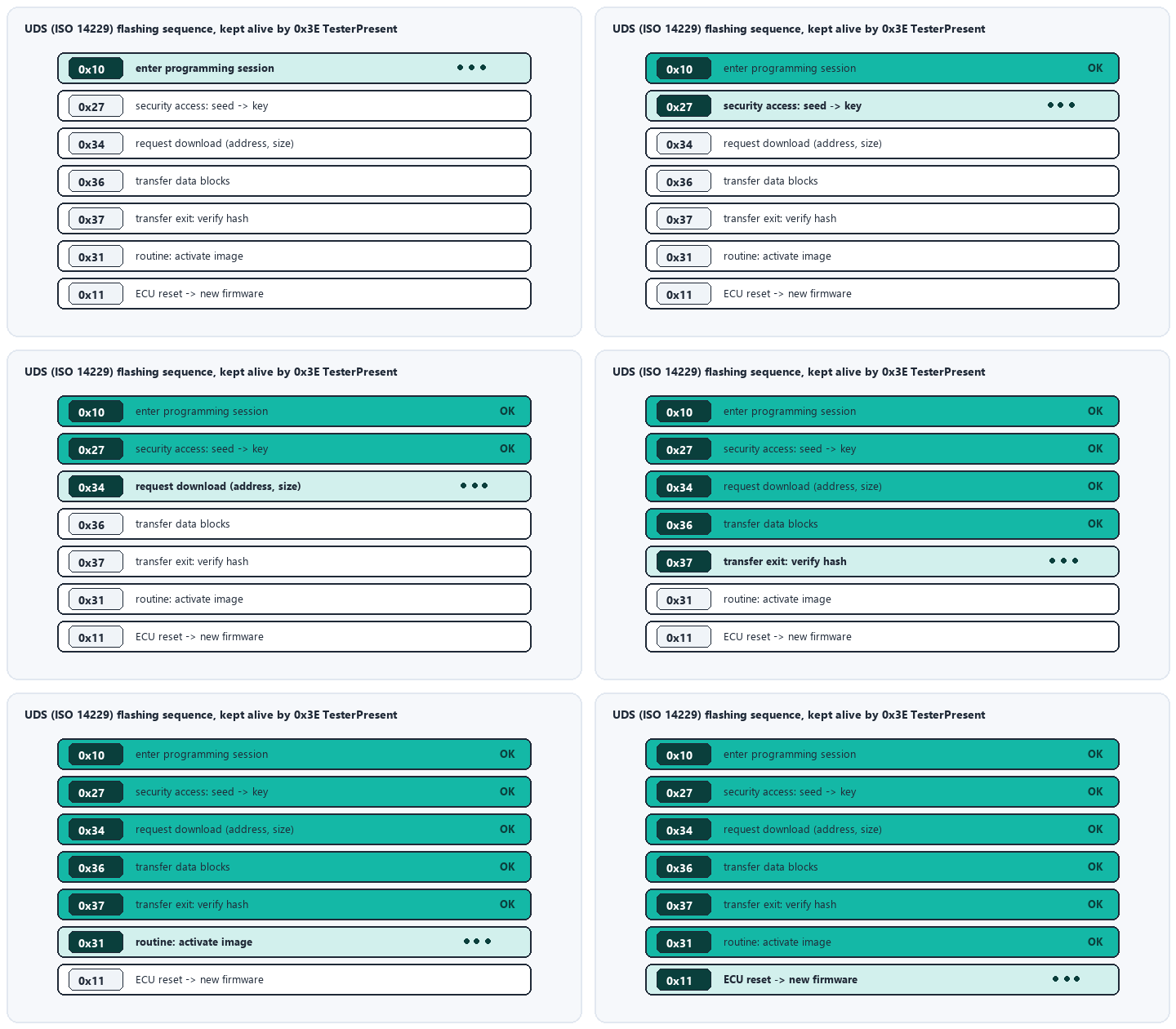
Remote firmware download is the most choreographed UDS workflow. The T-Box receives the image over cellular, verifies it, then drives the target ECU through a fixed sequence:
Over IP-based architectures the same services run on DoIP (ISO 13400) over automotive Ethernet; the service logic is identical, only the transport changes.
Bus loading, message timeouts and partial-network wake-up must be engineered so telemetry never starves safety traffic. Flashing is designed to be resumable and power-loss tolerant: an ECU interrupted mid-update must boot into its bootloader and accept re-transfer rather than bricking. Functional addressing (one request to many ECUs) is reserved for TesterPresent and coordinated resets — never for write services, where simultaneous responses would collide. Disciplined use of these rules is what separates a telematics platform that updates 100,000 vehicles cleanly from one that bricks a fleet.
UDS flashing and continuous bus monitoring demand a T-Box supply that never browns out. Weijiang Power supplies the wide-temperature NiMH and lithium backup cells and custom packs that keep telematics units alive through ignition cycles, supply dips and crash-induced power loss — with matched internal-resistance binning, welded interconnects and full transport/ safety documentation. Send us your rail architecture and worst-case current profile, and we will engineer the backup power around it.


